
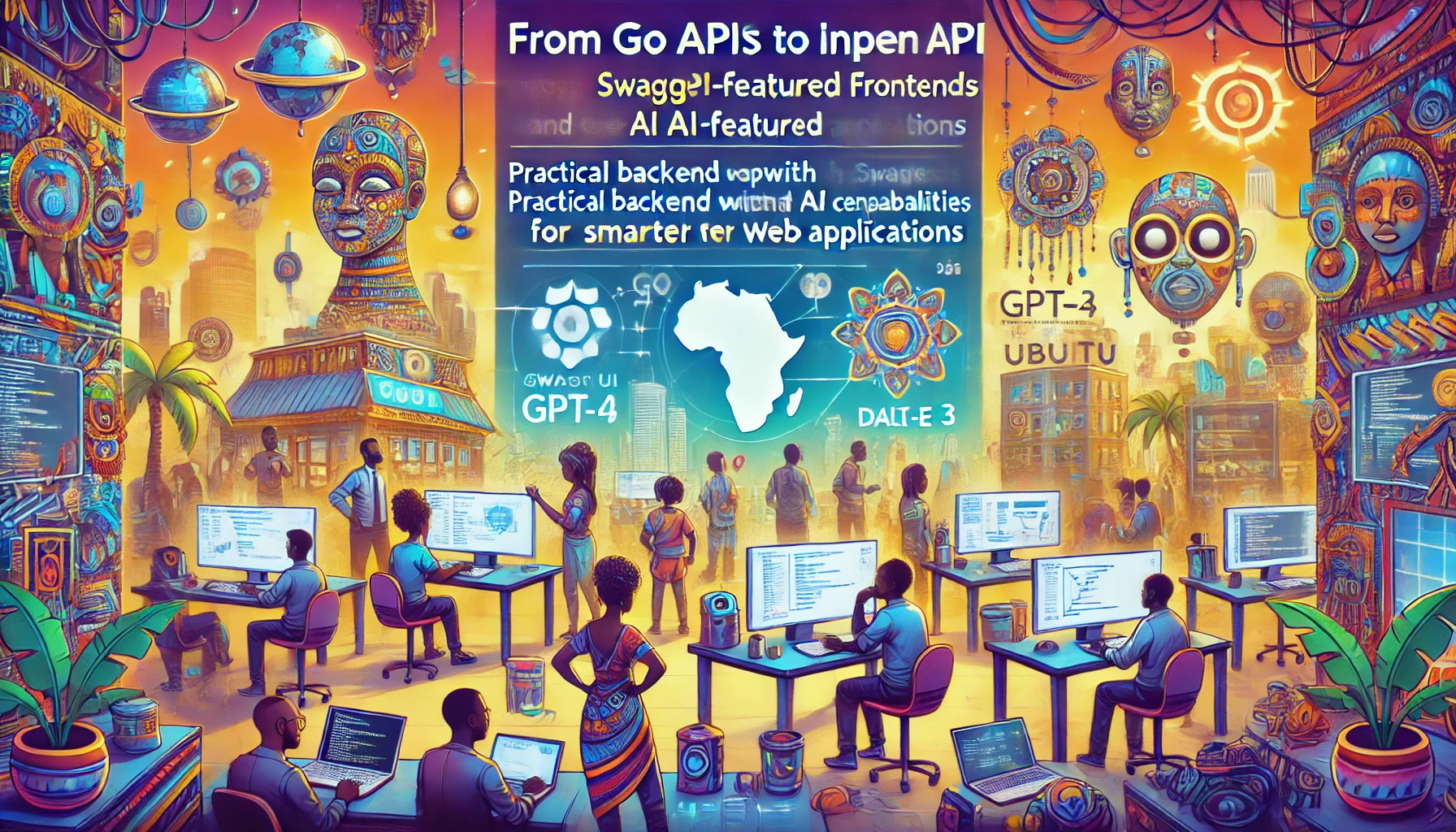
从 Go API 到 AI 特色前端
- 使用 Go、OpenAPI 和 CUE 构建现代 API
- Go 的 net/http 包
- 使用 GJSON 包解析 JSON
- 演示 1:从 Go 与 OpenAI 的 gpt-4o API 交互
- CUE 语言 (Configure Unify Execute)
- 演示 2:使用 Go 和 Cue 构建基础 API
- 演示 3:Swagger UI
- 演示 4:图片信息检索
- 演示 5:三重流式传输
- 参考资料
使用 Go、OpenAPI 和 CUE 构建现代 API
简介
在本课程中,我们将探索 Go、OpenAPI 和 CUE 的强大组合,以构建健壮、类型安全且文档完善的 API。这种现代方法利用了每种技术的优势,旨在创建可维护且经过验证的 API 实现。
核心技术
Go 编程语言
Go 为构建 Web 服务提供了坚实的基础,其特点包括:
- 强大的标准库
- 内置并发支持
- 出色的性能表现
- 清晰且易于维护的语法
- 丰富的工具和包生态系统
Go 的 HTTP 包
net/http 包同时充当以下角色:
服务端
- 原生 HTTP 服务器实现
- 请求路由与处理
- 中间件支持
- 响应写入工具
客户端
- HTTP 客户端操作
- 请求组合
- 响应处理
- 连接池管理
CUE 语言
CUE (Configure, Unify, Execute) 带来了几项关键能力:
模式定义
- 类型安全定义
- 约束规范
- 组合与继承
- 默认值
JSON 模式生成
- OpenAPI 3.0 模式生成
- 类型验证
- 文档生成
- 契约强制执行
运行时验证
- 请求/响应验证
- 数据一致性检查
- 错误消息提示
- 类型断言
目标
- 使用 OpenAPI 3.0 规范设计 API
- 使用 CUE 强大的约束系统定义模式
- 从 CUE 定义生成 OpenAPI 文档
- 使用 Go 标准库实现 API
- 使用 CUE 验证请求和响应
- 创建可维护且类型安全的 API 实现
为什么选择这种组合?
类型安全
- Go 的静态类型
- CUE 的约束系统
- OpenAPI 的模式定义
开发体验
- 清晰的关注点分离
- 自动化验证
- 自文档化 API
- 工具友好型格式
维护优势
- 类型定义的单一事实来源
- 自动化模式生成
- 运行时验证
- 清晰的契约定义
工具安装指南
设置开发环境
安装 Goenv
macOS (使用 Homebrew)
brew install goenvLinux/Unix
git clone https://github.com/go-nv/goenv.git ~/.goenv配置 Shell (添加到 ~/.bashrc 或 ~/.zshrc)
export GOENV_ROOT="$HOME/.goenv"
export PATH="$GOENV_ROOT/bin:$PATH"
eval "$(goenv init -)"
使用 Goenv 安装 Go
列出可用版本
goenv install --list安装最新的稳定版本
goenv install 1.23.3设置全局 Go 版本
goenv global 1.23.3验证安装
go version安装 CUE
使用 Go 安装
go install cuelang.org/go/cmd/cue@latest验证 CUE 安装
cue versionGo 的 net/http 包
Go 的 `net/http` 包提供了 HTTP 客户端和服务器实现,用于进行 API 调用和构建 Web 服务器。
关键特性
- 支持 HTTP/1.1 和 HTTP/2
- 支持 TLS (HTTPS)
- HTTP 客户端和服务器抽象
- 通过 `http.ServeMux` 提供路由支持
HTTP 客户端
`http.Client` 类型用于执行 HTTP 请求。
创建 HTTP GET 请求
package main

import (
    "fmt"
    "io"
    "net/http"
)

func main() {
    resp, err := http.Get("https://api.example.com/data")
    if err != nil {
        fmt.Println("Error:", err)
        return
    }
    defer resp.Body.Close()

    body, err := io.ReadAll(resp.Body)
    if err != nil {
        fmt.Println("Error reading response body:", err)
        return
    }

    fmt.Println("Response Body:", string(body))
}
创建 HTTP POST 请求
package main

import (
    "bytes"
    "fmt"
    "net/http"
)

func main() {
    jsonData := []byte(`{"key": "value"}`)
    resp, err := http.Post("https://api.example.com/data", "application/json", bytes.NewBuffer(jsonData))
    if err != nil {
        fmt.Println("Error:", err)
        return
    }
    defer resp.Body.Close()

    fmt.Println("Response Status:", resp.Status)
}
HTTP 服务器
`http.Server` 类型用于实现 HTTP 服务器。
基础 HTTP 服务器
package main

import (
    "fmt"
    "net/http"
)

func helloHandler(w http.ResponseWriter, r *http.Request) {
    fmt.Fprintf(w, "Hello, World!")
}

func main() {
    http.HandleFunc("/hello", helloHandler)
    http.ListenAndServe(":8080", nil)
}
使用 http.ServeMux 进行路由
package main

import (
    "fmt"
    "net/http"
)

func helloHandler(w http.ResponseWriter, r *http.Request) {
    fmt.Fprintf(w, "Hello, World!")
}

func main() {
    mux := http.NewServeMux()
    mux.HandleFunc("/hello", helloHandler)

    server := &http.Server{
        Addr:    ":8080",
        Handler: mux,
    }

    server.ListenAndServe()
}
Http 包文档
使用 GJSON 包解析 JSON
概述
- 适用于 Go 的快速 JSON 解析器
- 使用路径语法从 JSON 中提取值
- 无需序列化/反序列化
- 零依赖
- 线程安全
关键特性
路径语法
{"name": {"first": "John"}}
// 访问方式: "name.first" -> "John"
支持的类型
- 字符串
- 数字
- 布尔值
- Null
- 数组
- 对象
性能
- 解析速度极快
- 无分配开销
- 直接在 []byte 上操作
常见操作
value := gjson.Get(json, "path.to.value")
value.String()  // 获取为字符串
value.Int()     // 获取为整数
value.Array()   // 获取为数组
value.Map()     // 获取为映射
修饰符
- @reverse: 反转数组
- @flatten: 展平数组
- @join: 连接数组元素
- @valid: 验证 JSON
使用场景
- API 响应解析
- 配置处理
- JSON 数据提取
- 性能敏感的 JSON 操作
GJSON 文档链接
GitHub 仓库
演示 1:从 Go 与 OpenAI 的 gpt-4o API 交互
var (
    apiURL = "https://api.openai.com/v1/chat/completions" // 替换为实际端点
    apiKey = os.Getenv("OPENAI_API_KEY")
    imagePath = "assets/from-go-apis-to-ai-enhanced-frontends.webp"
    prompt = "描述图片中的风景。"
)

fmt.Println(fmt.Sprintf("正在从以下路径提取信息: %v\n", imagePath))
// 加载图片并编码为 base64
imageBytes, err := os.ReadFile(imagePath)
if err != nil {
    fmt.Println("读取图片文件出错:", err)
    return
}
imageBase64 := base64.StdEncoding.EncodeToString(imageBytes)

requestBody, err := json.Marshal(map[string]any{
	"model":      "gpt-4o",
    "max_tokens": 4096,
    "messages": []map[string]any{
		{
			"role": "user",
			"content": []map[string]any{
				{
					"type": "text",
					"text": prompt,
				},
				{
					"type": "image_url",
					"image_url": map[string]any{
						"url": fmt.Sprintf("data:image/webp;base64, %s", imageBase64),
					},
				},
			},
		},
	},
})
if err != nil {
	fmt.Println("JSON 序列化出错:", err)
	return
}

req, err := http.NewRequest("POST", apiURL, bytes.NewBuffer(requestBody))
if err != nil {
	fmt.Println("创建请求出错:", err)
	return
}
req.Header.Set("Authorization", "Bearer "+apiKey)
req.Header.Set("Content-Type", "application/json")

client := &http.Client{}
resp, err := client.Do(req)
if err != nil {
    fmt.Println("发送请求出错:", err)
    return
}
defer resp.Body.Close()

body, err := io.ReadAll(resp.Body)
if err != nil {
    fmt.Println("读取响应体出错:", err)
    return
}

responseString := string(body)
// fmt.Println("Response:", responseString)

result := gjson.Get(responseString, "choices.0.message.content")

fmt.Println(result.Str)
CUE 语言 (Configure Unify Execute)
概述
CUE 是由 Google 创建的一种配置和约束语言,旨在帮助管理复杂的配置和数据验证。
核心概念
数据模型
- 开放世界模型
- 继承与组合
- 强类型
- 声明式
关键特性
类型约束
#Person: {
    name:  string
    age:   int & >=0 & <=120
    email: string & =~"^[a-zA-Z0-9._%+-]+@[a-zA-Z0-9.-]+\\.[a-zA-Z]{2,}$"
}
值约束
settings: {
    timeout: int & >=0 & <=60
    mode:    "dev" | "prod" | "stage"
}
与 Go 集成
Go 结构体标签
type Person struct {
    Name  string `json:"name" cue:"string"`
    Age   int    `json:"age" cue:">=0 & <=120"`
    Email string `json:"email"`
}
验证示例
import "cuelang.org/go/cue"

const schema = `
#Person: {
    name:  string
    age:   int & >=0
    email: string
}
`

func validate(data interface{}) error {
    ctx := cue.context.New()
    v := ctx.CompileString(schema)
    return v.Validate()
}
常见使用场景
配置管理
#Database: {
    host:     string
    port:     int & >=1024 & <=65535
    user:     string
    password: string
}

prod: #Database & {
    host: "prod.db.example.com"
    port: 5432
    user: "admin"
}
数据验证
#APIConfig: {
    endpoints: [...{
        path:   string & =~"^/"
        method: "GET" | "POST" | "PUT" | "DELETE"
        auth:   bool | *true
    }]
}
OpenAPI 生成
openapi: "3.0.0"
info: {
    title:   "My API"
    version: "1.0.0"
}
工具
命令行
- cue eval
- cue fmt
- cue vet
- cue export
IDE 支持
- VSCode 扩展
- GoLand/IntelliJ 插件
最佳实践
模式定义
- 使用 # 前缀定义
- 保持约束简单明了
- 使用有意义的名称
错误处理
if err := val.Validate(); err != nil {
    return fmt.Errorf("validation failed: %w", err)
}
资源
学习资源
- 官方教程
- GitHub 示例
- 社区指南
常见模式
默认值
#Config: {
    debug: bool | *false
    port:  int | *8080
}
组合
#Base: {
    version: string
}

#Service: #Base & {
    name:  string
    ports: [...int]
}
与 Go 的关系
集成点
- 直接 Go API
- 结构体标签支持
- 代码生成
- 运行时验证
优势
- 类型安全
- 模式验证
- 配置管理
- 数据建模
使用场景
- API 定义
- 配置文件
- 数据验证
- 模式生成
错误消息
invalid value "foo" (does not match ">=0 & <=120")
conflicting values false and true
field "required" not allowed
CUE 语言文档链接
官方资源
- 主网站: https://cuelang.org/
- 官方文档: https://cuelang.org/docs/
- API 参考: https://pkg.go.dev/cuelang.org/go/cue
GitHub 资源
- 主仓库: https://github.com/cue-lang/cue
- CUE 演练场: https://cuelang.org/play/
演示 2:使用 Go 和 Cue 构建基础 API
实体
#User: {
    id:   string
    name: string & =~"^[A-Za-z ]+$"
}
实体作为 JSON / Yaml 模式:
rm -rf contracts/basic_schema.yaml # 如果已存在则删除

cue def contracts/user.cue -o contracts/basic_schema.yaml --out openapi+yaml # 生成模式

cat contracts/basic_schema.yaml # 显示生成文件的内容
openapi: 3.0.0
info:
  title: Generated by cue.
  version: no version
paths: {}
components:
  schemas:
    User:
      type: object
      required:
        - id
        - name
      properties:
        id:
          type: string
        name:
          type: string
          pattern: ^[A-Za-z ]+$
OpenAPI 契约:
在之前输出的基础上,我们手动加入 `paths` 定义。
# basic_schema.yaml
openapi: 3.0.0
info:
  title: User API
  version: 1.0.0
paths:
  /users:
    post:
      summary: 创建用户
      requestBody:
        required: true
        content:
          application/json:
            schema:
              $ref: '#/components/schemas/User'
      responses:
        '200':
          description: 用户已创建
          content:
            application/json:
              schema:
                $ref: '#/components/schemas/User'
components:
  schemas:
    User:
      type: object
      required:
        - id
        - name
      properties:
        id:
          type: string
        name:
          type: string
          pattern: ^[A-Za-z ]+$
服务器:
package main

// basic_cueapi.go

import (
	"encoding/json"
	"fmt"
	"log"
	"net/http"

	"cuelang.org/go/cue"
	"cuelang.org/go/cue/cuecontext"
)

type User struct {
	ID   string `json:"id"`
	Name string `json:"name"`
}

const schema = `
#User: {
    id:   string
    name: string & =~"^[A-Za-z ]+$"
}
`

var ctx = cuecontext.New()
var userSchema = ctx.CompileString(schema)

func validateUser(u User) error {
	val := ctx.Encode(u)
	return val.Unify(userSchema.LookupPath(cue.ParsePath("#User"))).Err()
}

func userHandler(w http.ResponseWriter, r *http.Request) {

	var user User
	if err := json.NewDecoder(r.Body).Decode(&user); err != nil {
		http.Error(w, err.Error(), http.StatusBadRequest)
		return
	}

	if err := validateUser(user); err != nil {
		fmt.Println(fmt.Errorf("INVALID_PAYLOAD:::: +%v", err))
		http.Error(w, err.Error(), http.StatusBadRequest)
		return
	}

	w.Header().Set("Content-Type", "application/json")
	json.NewEncoder(w).Encode(user)
}

func main() {
	http.HandleFunc("POST /users", userHandler)
	log.Fatal(http.ListenAndServe(":8080", nil))
}
让我们测试这个基础 API:
echo "成功路径场景结果:"
echo ""
curl -X POST localhost:8080/users -d '{"id":"1","name":"John Doe"}' # 成功路径测试

echo ""
echo ""

echo "验证失败场景结果:"
echo ""
curl -X POST localhost:8080/users -d '{"id":"1","name":"1234"}' # 验证失败测试
成功路径场景结果:

{"id":"1","name":"John Doe"}


验证失败场景结果:

name: invalid value "1234" (out of bound =~"^[A-Za-z ]+$")
演示 3:Swagger UI
Yaml 转 JSON 转换
mkdir -p demos/demo3

go run cli.go y2j contracts/demo2.yaml demos/demo3/openapi.json
成功将 contracts/demo2.yaml 转换为 demos/demo3/openapi.json
更新后的服务器
package main

import (
	"embed"
	"encoding/json"
	"fmt"
    "html/template"
	"log"
	"net/http"

	"cuelang.org/go/cue"
	"cuelang.org/go/cue/cuecontext"
)


//go:embed *
var content embed.FS

type User struct {
	ID   string `json:"id"`
	Name string `json:"name"`
}

const schema = `
#User: {
    id:   string
    name: string & =~"^[A-Za-z ]+$"
}
`

var ctx = cuecontext.New()
var userSchema = ctx.CompileString(schema)

func validateUser(u User) error {
	val := ctx.Encode(u)
	return val.Unify(userSchema.LookupPath(cue.ParsePath("#User"))).Err()
}

func userHandler(w http.ResponseWriter, r *http.Request) {

	var user User
	if err := json.NewDecoder(r.Body).Decode(&user); err != nil {
		http.Error(w, err.Error(), http.StatusBadRequest)
		return
	}

	if err := validateUser(user); err != nil {
		fmt.Println(fmt.Errorf("INVALID_PAYLOAD:::: +%v", err))
		http.Error(w, err.Error(), http.StatusBadRequest)
		return
	}

	w.Header().Set("Content-Type", "application/json")
	json.NewEncoder(w).Encode(user)
}

func main() {
    // API 端点
	http.HandleFunc("POST /users", userHandler)

    // 提供 OpenAPI 规范
    http.HandleFunc("GET /openapi.json", func(w http.ResponseWriter, r *http.Request) {
        w.Header().Set("Content-Type", "application/json")
        spec, _ := content.ReadFile("openapi.json")
        w.Write(spec)
    })

    // 提供 Swagger UI
    http.HandleFunc("GET /docs", func(w http.ResponseWriter, r *http.Request) {
        w.Header().Set("Content-Type", "text/html")
        tmpl := template.Must(template.New("swagger").Parse(swaggerTemplate))
        tmpl.Execute(w, nil)
    })

    log.Printf("服务器启动于 http://localhost:8080")
    log.Printf("API 文档位于 http://localhost:8080/docs")
	log.Fatal(http.ListenAndServe(":8080", nil))
}

const swaggerTemplate = `


`
演示 4:图片信息检索
亮点
图片类型管理
React 钩子直接从上传的图片 `File` 对象中检索图片类型并设置隐藏字段。
图片大小管理
图片大小在 API 中通过字符串长度的 `min` 和 `max` 进行强制限制。
对 10MB 字符串的 base64 大小进行粗略计算:
-
首先,将 10MB 转换为字节:
- 10MB = 10 * 1024 * 1024 = 10,485,760 字节
-
应用公式:ceil(n / 3) * 4
- n = 10,485,760
- 10,485,760 / 3 = 3,495,253.33…
- ceil(3,495,253.33…) = 3,495,254
- 3,495,254 * 4 = 13,981,016 字节
因此,一个 `10MB 字符串` 在 base64 编码后大约为 `13.98MB` (13,981,016 字节 ≈ 13.98MB)
实体
import "strings"

// 图片上传契约
#ImageUpload: {
	// 唯一标识符
	id: string & =~"^[0-9a-zA-Z -]{36}$"

	// 图片提示词
	prompt: string & =~"^.{3,100}$" & =~"^[A-Za-z0-9 -_.]+$"

	// Base64 编码的图片
	blob: string & strings.MinRunes(3) & strings.MaxRunes(13_900_000) & =~"^data:image/(jpeg|png|gif|webp);base64,[A-Za-z0-9+/]+=*$"
}

// 图片上传状态
#ImageUploadStatus: {
	// 唯一标识符
	id: string & =~"^[0-9a-zA-Z -]{36}$"

	// 图片提示词
	prompt: string & strings.MinRunes(3) & strings.MaxRunes(100) & =~"^[A-Za-z0-9 -_.]+$"

	// 图片上传状态
	status: string & strings.MinRunes(3) & strings.MaxRunes(300) & =~"^[A-Za-z0-9 -_.]+$"
}
实体作为 JSON / Yaml 模式:
rm -rf contracts/image.yaml # 如果已存在则删除

cue def contracts/image.cue -o contracts/image.yaml --out openapi+yaml # 生成模式

cat contracts/image.yaml # 显示生成文件的内容
openapi: 3.0.0
info:
  title: Generated by cue.
  version: no version
paths: {}
components:
  schemas:
    ImageUpload:
      description: 图片上传契约
      type: object
      required:
        - id
        - prompt
        - blob
      properties:
        id:
          description: 唯一标识符
          type: string
          pattern: ^[0-9a-zA-Z -]{36}$
        prompt:
          description: 图片提示词
          type: string
          allOf:
            - pattern: ^.{3,100}$
            - pattern: ^[A-Za-z0-9 -_.]+$
        blob:
          description: Base64 编码的图片
          type: string
          minLength: 3
          maxLength: 13900000
          pattern: ^data:image/(jpeg|png|gif|webp);base64,[A-Za-z0-9+/]+=*$
    ImageUploadStatus:
      description: 图片上传状态
      type: object
      required:
        - id
        - prompt
        - status
      properties:
        id:
          description: 唯一标识符
          type: string
          pattern: ^[0-9a-zA-Z -]{36}$
        prompt:
          description: 图片提示词
          type: string
          minLength: 3
          maxLength: 100
          pattern: ^[A-Za-z0-9 -_.]+$
        status:
          description: 图片上传状态
          type: string
          minLength: 3
          maxLength: 300
          pattern: ^[A-Za-z0-9 -_.]+$
OpenAPI 契约:
我们将 `paths` 定义手动添加到之前的输出中。
openapi: 3.0.0
info:
 title: 图片上传契约
 version: 1.0.0
paths:
 /extract-image-info:
   post:
     summary: 提取图片信息
     requestBody:
       required: true
       content:
         application/json:
           schema:
             $ref: '#/components/schemas/ImageUpload'
     responses:
       '200':
         description: 图片处理成功
         content:
           application/json:
             schema:
               $ref: '#/components/schemas/ImageUploadStatus'
       '400':
         description: 图片处理失败
         content:
           application/json:
             schema:
               $ref: '#/components/schemas/ImageUploadStatus'
components:
 schemas:
   ImageUpload:
     description: 图片上传契约
     type: object
     required:
       - id
       - prompt
       - blob
     properties:
       id:
         description: 唯一标识符
         type: string
         pattern: ^[0-9a-zA-Z -]{36}$
       prompt:
         description: 图片提示词
         type: string
         allOf:
           - pattern: ^.{3,100}$
           - pattern: ^[A-Za-z0-9 -_.]+$
       blob:
         description: Base64 编码的图片
         type: string
         minLength: 3
         maxLength: 13900000
         pattern: ^data:image/(jpeg|png|gif|webp);base64,[A-Za-z0-9+/]+=*$
   ImageUploadStatus:
     description: 图片上传状态
     type: object
     required:
       - id
       - prompt
       - status
     properties:
       id:
         description: 唯一标识符
         type: string
         pattern: ^[0-9a-zA-Z -]{36}$
       prompt:
         description: 图片提示词
         type: string
         minLength: 3
         maxLength: 100
         pattern: ^[A-Za-z0-9 -_.]+$
       status:
         description: 图片上传状态
         type: string
         minLength: 3
         maxLength: 300
         pattern: ^[A-Za-z0-9 -_.]+$
Yaml 转 JSON 转换
mkdir -p demos/demo4

go run cli.go y2j contracts/demo4.yaml demos/demo4/openapi.json
成功将 contracts/demo4.yaml 转换为 demos/demo4/openapi.json
服务器:
package main

import (
	"bytes"
	"embed"
	"encoding/json"
	"fmt"
	"html/template"
	"io"
	"log"
	"net/http"
	"os"

	"cuelang.org/go/cue"
	"cuelang.org/go/cue/cuecontext"
	"github.com/tidwall/gjson"
)

var (
	apiURL = "https://api.openai.com/v1/chat/completions" // 替换为实际端点
	apiKey = os.Getenv("OPENAI_API_KEY")
)

//go:embed *
var content embed.FS

type ImageUpload struct {
	ID     string `json:"id"`
	Prompt string `json:"prompt"`
	Blob   string `json:"blob"`
}

type ImageUploadStatus struct {
	ID     string `json:"id"`
	Prompt string `json:"prompt"`
	Status string `json:"status"`
}

const schema = `

import "strings"

// 图片上传契约
#ImageUpload: {
	// 唯一标识符
	id: string & =~"^[0-9a-zA-Z -]{36}$"

	// 图片提示词
	prompt: string & =~"^.{3,100}$" & =~"^[A-Za-z0-9 -_.]+$"

	// Base64 编码的图片
	blob: string & strings.MinRunes(3) & strings.MaxRunes(13_900_000) & =~"^data:image/(jpeg|png|gif|webp);base64,[A-Za-z0-9+/]+=*$"
}

// 图片上传状态
#ImageUploadStatus: {
	// 唯一标识符
	id: string & =~"^[0-9a-zA-Z -]{36}$"

	// 图片提示词
	prompt: string & strings.MinRunes(3) & strings.MaxRunes(100) & =~"^[A-Za-z0-9 -_.]+$"

	// 图片上传状态
	status: string & strings.MinRunes(3) & strings.MaxRunes(300) & =~"^[A-Za-z0-9 -_.]+$"
}

`

var ctx = cuecontext.New()
var compiledSchema = ctx.CompileString(schema)

func validateImageUpload(p ImageUpload) error {
	val := ctx.Encode(p)
	return val.Unify(compiledSchema.LookupPath(cue.ParsePath("#ImageUpload"))).Err()
}

func validateImageUploadStatus(p ImageUploadStatus) error {
	val := ctx.Encode(p)
	return val.Unify(compiledSchema.LookupPath(cue.ParsePath("#ImageUploadStatus"))).Err()
}

func processImageUploadHandler(w http.ResponseWriter, r *http.Request) {

	var (
		image  ImageUpload
		status ImageUploadStatus
	)
	if err := json.NewDecoder(r.Body).Decode(&image); err != nil {
		fmt.Println(fmt.Errorf("BAD_PAYLOAD:::: +%v", err))
		status = ImageUploadStatus{
			ID:     "bad-id",
			Prompt: "bad-prompt",
			Status: err.Error(),
		}
		w.Header().Set("Content-Type", "application/json")
		w.WriteHeader(http.StatusBadRequest)
		json.NewEncoder(w).Encode(status)
		return
	}

	if err := validateImageUpload(image); err != nil {
		fmt.Println(fmt.Errorf("INVALID_PAYLOAD:::: +%v with image size: %d", err, len(image.Blob)))
		status = ImageUploadStatus{
			ID:     "bad-id",
			Prompt: "bad-prompt",
			Status: err.Error(),
		}
		w.Header().Set("Content-Type", "application/json")
		w.WriteHeader(http.StatusBadRequest)
		json.NewEncoder(w).Encode(status)
		return
	}

	if err, info := getInfoFromImage(image.Blob, image.Prompt); err != nil {
		fmt.Println(fmt.Errorf("INFO_RETRIEVAL_ERROR:::: +%v with image size: %d", err, len(image.Blob)))
		status = ImageUploadStatus{
			ID:     "bad-id",
			Prompt: "bad-prompt",
			Status: err.Error(),
		}
		w.Header().Set("Content-Type", "application/json")
		w.WriteHeader(http.StatusBadRequest)
		json.NewEncoder(w).Encode(status)
		return
	} else {
		w.Header().Set("Content-Type", "application/json")
		status = ImageUploadStatus{
			ID:     image.ID,
			Prompt: image.Prompt,
			Status: info,
		}
		fmt.Println(fmt.Sprintf("提取的图片数据; +%v", status))
		json.NewEncoder(w).Encode(status)
	}
}

func main() {
	// API 端点
	http.HandleFunc("POST /extract-image-info", processImageUploadHandler)

	// 提供 OpenAPI 规范
	http.HandleFunc("GET /openapi.json", func(w http.ResponseWriter, r *http.Request) {
		w.Header().Set("Content-Type", "application/json")
		spec, _ := content.ReadFile("openapi.json")
		w.Write(spec)
	})

	// 提供 Swagger UI
	http.HandleFunc("GET /docs", func(w http.ResponseWriter, r *http.Request) {
		w.Header().Set("Content-Type", "text/html")
		tmpl := template.Must(template.New("swagger").Parse(swaggerTemplate))
		tmpl.Execute(w, nil)
	})

	log.Printf("服务器启动于 http://localhost:8080")
	log.Printf("API 文档位于 http://localhost:8080/docs")
	log.Fatal(http.ListenAndServe(":8080", nil))
}

const swaggerTemplate = `


`

func getInfoFromImage(imageUrl, prompt string) (error, string) {
	requestBody, err := json.Marshal(map[string]any{
		"model":      "gpt-4o",
		"max_tokens": 4096,
		"messages": []map[string]any{
			{
				"role": "user",
				"content": []map[string]any{
					{
						"type": "text",
						"text": prompt,
					},
					{
						"type": "image_url",
						"image_url": map[string]any{
							"url": imageUrl,
						},
					},
				},
			},
		},
	})
	if err != nil {
		return fmt.Errorf("JSON 序列化出错: %w", err), ""
	}

	req, err := http.NewRequest("POST", apiURL, bytes.NewBuffer(requestBody))
	if err != nil {
		return fmt.Errorf("创建请求出错: %w", err), ""
	}
	req.Header.Set("Authorization", "Bearer "+apiKey)
	req.Header.Set("Content-Type", "application/json")

	client := &http.Client{}
	resp, err := client.Do(req)
	if err != nil {
		return fmt.Errorf("发送请求出错: %w", err), ""
	}
	defer resp.Body.Close()

	body, err := io.ReadAll(resp.Body)
	if err != nil {
		return fmt.Errorf("读取响应体出错: %w", err), ""
	}

	responseString := string(body)
	// fmt.Println("Response:", responseString)

	result := gjson.Get(responseString, "choices.0.message.content")

	response := result.Str
	fmt.Println("Response:", response)

	return nil, response
}
演示 5:三重流式传输
sequenceDiagram
    participant LLM as 大语言模型
    participant BE as 后端
    participant UI as UI 层
    participant BR as 浏览器

    BR->>UI: 1. 请求 (提示词/交互)
    UI->>BE: 2. 转发提示词
    BE->>LLM: 3. 调用 LLM 并设置 stream=true
    Note right of LLM: LLM 增量生成
 token
    LLM-->>BE: 4. 流式传输部分 token
    Note right of BE: 后端在 token 到达时
 进行转发
    BE-->>UI: 5. 流式传输部分 token
    UI-->>BR: 6. 将部分 token 推送到浏览器
    Note right of BR: 浏览器实时更新 UI,
 显示流式传输的 token
实体
import "strings"

// 图片上传契约
#ImageUpload: {
	// 唯一标识符
	id: string & =~"^[0-9a-zA-Z -]{36}$"

	// 图片提示词
	prompt: string & =~"^.{3,100}$" & =~"^[A-Za-z0-9 -_.]+$"

	// 启用流式传输
	stream: bool

	// Base64 编码的图片
	blob: string & strings.MinRunes(3) & strings.MaxRunes(13_900_000) & =~"^data:image/(jpeg|png|gif|webp);base64,[A-Za-z0-9+/]+=*$"
}

// 图片信息契约
#ImageInfo: {
	// 图片信息
	info: string
}
实体作为 JSON / Yaml 模式:
rm -rf contracts/image2.yaml # 如果已存在则删除

cue def contracts/image2.cue -o contracts/image2.yaml --out openapi+yaml # 生成模式

cat contracts/image2.yaml # 显示生成文件的内容
openapi: 3.0.0
info:
  title: Generated by cue.
  version: no version
paths: {}
components:
  schemas:
    ImageInfo:
      description: 图片信息契约
      type: object
      required:
        - info
      properties:
        info:
          description: 图片信息
          type: string
    ImageUpload:
      description: 图片上传契约
      type: object
      required:
        - id
        - prompt
        - stream
        - blob
      properties:
        id:
          description: 唯一标识符
          type: string
          pattern: ^[0-9a-zA-Z -]{36}$
        prompt:
          description: 图片提示词
          type: string
          allOf:
            - pattern: ^.{3,100}$
            - pattern: ^[A-Za-z0-9 -_.]+$
        stream:
          description: 启用流式传输
          type: boolean
        blob:
          description: Base64 编码的图片
          type: string
          minLength: 3
          maxLength: 13900000
          pattern: ^data:image/(jpeg|png|gif|webp);base64,[A-Za-z0-9+/]+=*$
OpenAPI 契约:
我们将 `paths` 定义手动添加到之前的输出中。
openapi: 3.0.0
info:
 title: Generated by cue.
 version: no version
paths:
 /extract-image-info:
   post:
     summary: 提取图片信息
     requestBody:
       required: true
       content:
         application/json:
           schema:
             $ref: '#/components/schemas/ImageUpload'
     responses:
       '200':
         description: 图片处理成功
         content:
           application/json:
             schema:
               $ref: '#/components/schemas/ImageInfo'
       '400':
         description: 图片处理失败
         content:
           application/json:
             schema:
               $ref: '#/components/schemas/ImageInfo'
components:
 schemas:
   ImageInfo:
     description: 图片信息契约
     type: object
     required:
       - info
     properties:
       info:
         description: 图片信息
         type: string
   ImageUpload:
     description: 图片上传契约
     type: object
     required:
       - id
       - prompt
       - stream
       - blob
     properties:
       id:
         description: 唯一标识符
         type: string
         pattern: ^[0-9a-zA-Z -]{36}$
       prompt:
         description: 图片提示词
         type: string
         allOf:
           - pattern: ^.{3,100}$
           - pattern: ^[A-Za-z0-9 -_.]+$
       stream:
         description: 启用流式传输
         type: boolean
       blob:
         description: Base64 编码的图片
         type: string
         minLength: 3
         maxLength: 13900000
         pattern: ^data:image/(jpeg|png|gif|webp);base64,[A-Za-z0-9+/]+=*$
Yaml 转 JSON 转换
mkdir -p demos/demo5

go run cli.go y2j contracts/demo5.yaml demos/demo5/openapi.json
成功将 contracts/demo5.yaml 转换为 demos/demo5/openapi.json
服务器:
package main

import (
	"bufio"
	"bytes"
	"embed"
	"encoding/json"
	"fmt"
	"html/template"
	"io"
	"log"
	"net/http"
	"os"
	"strings"
	"time"

	"cuelang.org/go/cue"
	"cuelang.org/go/cue/cuecontext"
	"github.com/tidwall/gjson"
)

var (
	apiURL = "https://api.openai.com/v1/chat/completions" // 替换为实际端点
	apiKey = os.Getenv("OPENAI_API_KEY")
)

//go:embed *
var content embed.FS

type ImageUpload struct {
	ID     string `json:"id"`
	Prompt string `json:"prompt"`
	Stream bool   `json:"stream"`
	Blob   string `json:"blob"`
}

type ImageInfo struct {
	Info string `json:"info"`
}

const schema = `

import "strings"

// 图片上传契约
#ImageUpload: {
	// 唯一标识符
	id: string & =~"^[0-9a-zA-Z -]{36}$"

	// 图片提示词
	prompt: string & =~"^.{3,100}$" & =~"^[A-Za-z0-9 -_.]+$"

	// 启用流式传输
	stream: bool

	// Base64 编码的图片
	blob: string & strings.MinRunes(3) & strings.MaxRunes(13_900_000) & =~"^data:image/(jpeg|png|gif|webp);base64,[A-Za-z0-9+/]+=*$"
}

// 图片信息契约
#ImageInfo: {
	// 图片信息
	info: string
}

`

var ctx = cuecontext.New()
var compiledSchema = ctx.CompileString(schema)

func validateImageUpload(p ImageUpload) error {
	val := ctx.Encode(p)
	return val.Unify(compiledSchema.LookupPath(cue.ParsePath("#ImageUpload"))).Err()
}

func validateImageInfoStatus(p ImageInfo) error {
	val := ctx.Encode(p)
	return val.Unify(compiledSchema.LookupPath(cue.ParsePath("#ImageUploadStatus"))).Err()
}

func processImageUploadHandler(w http.ResponseWriter, r *http.Request) {

	var (
		image  ImageUpload
		status ImageInfo
	)
	if err := json.NewDecoder(r.Body).Decode(&image); err != nil {
		fmt.Println(fmt.Errorf("BAD_PAYLOAD:::: +%v", err))
		status = ImageInfo{
			Info: err.Error(),
		}
		w.Header().Set("Content-Type", "application/json")
		w.WriteHeader(http.StatusBadRequest)
		json.NewEncoder(w).Encode(status)
		return
	}

	if err := validateImageUpload(image); err != nil {
		fmt.Println(fmt.Errorf("INVALID_PAYLOAD:::: +%v with image size: %d", err, len(image.Blob)))
		status = ImageInfo{
			Info: err.Error(),
		}
		w.Header().Set("Content-Type", "application/json")
		w.WriteHeader(http.StatusBadRequest)
		json.NewEncoder(w).Encode(status)
		return
	}

	if image.Stream {
		// 设置 CORS 头以允许所有来源。在生产环境中,您可能希望将其限制为特定来源。
		w.Header().Set("Access-Control-Allow-Origin", "*")
		w.Header().Set("Access-Control-Allow-Methods", "GET, OPTIONS")
		w.Header().Set("Access-Control-Allow-Headers", "Content-Type")
		//w.Header().Set("Access-Control-Max-Age", "3600")
		// 设置内容类型为 text/event-stream
		w.Header().Set("Content-Type", "text/event-stream")
		w.Header().Set("Cache-Control", "no-cache")
		w.Header().Set("Connection", "keep-alive")

		if err := getInfoFromImageStreaming(w, image.Blob, image.Prompt); err != nil {
			fmt.Println(fmt.Errorf("INFO_RETRIEVAL_ERROR:::: +%v with image size: %d", err, len(image.Blob)))
			fmt.Fprintf(w, "data: %s\n\n", err.Error())
			w.(http.Flusher).Flush()
			fmt.Fprintf(w, "data: %s\n\n", "[DONE]")
			w.(http.Flusher).Flush()
			return
		}
	} else {
		if err, info := getInfoFromImage(image.Blob, image.Prompt); err != nil {
			fmt.Println(fmt.Errorf("INFO_RETRIEVAL_ERROR:::: +%v with image size: %d", err, len(image.Blob)))
			status = ImageInfo{
				Info: err.Error(),
			}
			w.Header().Set("Content-Type", "application/json")
			w.WriteHeader(http.StatusBadRequest)
			json.NewEncoder(w).Encode(status)
			return
		} else {
			w.Header().Set("Content-Type", "application/json")
			status = ImageInfo{
				Info: info,
			}
			fmt.Println(fmt.Sprintf("提取的图片数据; +%v", status))
			json.NewEncoder(w).Encode(status)
		}
	}
}

func main() {
	// API 端点
	http.HandleFunc("POST /extract-image-info", processImageUploadHandler)

	// 提供 OpenAPI 规范
	http.HandleFunc("GET /openapi.json", func(w http.ResponseWriter, r *http.Request) {
		w.Header().Set("Content-Type", "application/json")
		spec, _ := content.ReadFile("openapi.json")
		w.Write(spec)
	})

	// 提供 Swagger UI
	http.HandleFunc("GET /docs", func(w http.ResponseWriter, r *http.Request) {
		w.Header().Set("Content-Type", "text/html")
		tmpl := template.Must(template.New("swagger").Parse(swaggerTemplate))
		tmpl.Execute(w, nil)
	})

	log.Printf("服务器启动于 http://localhost:8080")
	log.Printf("API 文档位于 http://localhost:8080/docs")
	log.Fatal(http.ListenAndServe(":8080", nil))
}

const swaggerTemplate = `


`

func getInfoFromImageStreaming(w http.ResponseWriter, imageUrl, prompt string) error {
	requestBody, err := json.Marshal(map[string]any{
		"model":      "gpt-4o",
		"max_tokens": 4096,
		"messages": []map[string]any{
			{
				"role": "user",
				"content": []map[string]any{
					{
						"type": "text",
						"text": prompt,
					},
					{
						"type": "image_url",
						"image_url": map[string]any{
							"url": imageUrl,
						},
					},
				},
			},
		},
		"stream": true, // 启用流式传输
	})
	if err != nil {
		return fmt.Errorf("JSON 序列化出错: %w", err)
	}

	req, err := http.NewRequest("POST", apiURL, bytes.NewBuffer(requestBody))
	if err != nil {
		return fmt.Errorf("创建请求出错: %w", err)
	}
	req.Header.Set("Authorization", "Bearer "+apiKey)
	req.Header.Set("Content-Type", "application/json")

	client := &http.Client{}
	resp, err := client.Do(req)
	if err != nil {
		return fmt.Errorf("发送请求出错: %w", err)
	}
	defer resp.Body.Close()

	// 检查非 OK 状态码
	if resp.StatusCode != http.StatusOK {
		respBody, _ := bufio.NewReader(resp.Body).ReadString('\n')
		fmt.Printf("非 OK 状态码: %d\nBody: %s\n", resp.StatusCode, respBody)
		return fmt.Errorf("非 OK 状态码: %d", resp.StatusCode)
	}

	// 使用 bufio 逐行读取响应
	scanner := bufio.NewScanner(resp.Body)
	for scanner.Scan() {
		line := scanner.Text()

		// OpenAI 流式传输的每个块都以 "data:" 为前缀
		if !strings.HasPrefix(line, "data:") {
			continue
		}

		// "data: [DONE]" 表示流结束
		jsonData := strings.TrimPrefix(line, "data: ")
		if jsonData == "[DONE]" {
			fmt.Println("\n--- 流传输完成 ---")
			fmt.Fprintf(w, "data: %s\n\n", "[DONE]")
			w.(http.Flusher).Flush()
			break
		}

		// 使用 gjson 解析每个块
		result := gjson.Parse(jsonData)

		// 相关内容位于 "choices" -> 数组 -> "delta" -> "content"
		// 例如: result.Get("choices.0.delta.content")
		content := ""
		for _, choice := range result.Get("choices").Array() {
			contentDelta := choice.Get("delta.content").String()
			content += contentDelta
		}
		// 打印内容块(如果有)
		if content != "" {
			fmt.Print(content)
			fmt.Fprintf(w, "data: %s\n\n", content)
			w.(http.Flusher).Flush()
		}

		// 稍作休眠以模拟处理时间
		time.Sleep(100 * time.Millisecond)
	}

	if err := scanner.Err(); err != nil {
		return fmt.Errorf("读取流式响应体出错: %w", err)
	}

	return nil
}

func getInfoFromImage(imageUrl, prompt string) (error, string) {
	requestBody, err := json.Marshal(map[string]any{
		"model":      "gpt-4o",
		"max_tokens": 4096,
		"messages": []map[string]any{
			{
				"role": "user",
				"content": []map[string]any{
					{
						"type": "text",
						"text": prompt,
					},
					{
						"type": "image_url",
						"image_url": map[string]any{
							"url": imageUrl,
						},
					},
				},
			},
		},
	})
	if err != nil {
		return fmt.Errorf("JSON 序列化出错: %w", err), ""
	}

	req, err := http.NewRequest("POST", apiURL, bytes.NewBuffer(requestBody))
	if err != nil {
		return fmt.Errorf("创建请求出错: %w", err), ""
	}
	req.Header.Set("Authorization", "Bearer "+apiKey)
	req.Header.Set("Content-Type", "application/json")

	client := &http.Client{}
	resp, err := client.Do(req)
	if err != nil {
		return fmt.Errorf("发送请求出错: %w", err), ""
	}
	defer resp.Body.Close()

	body, err := io.ReadAll(resp.Body)
	if err != nil {
		return fmt.Errorf("读取响应体出错: %w", err), ""
	}

	responseString := string(body)
	// fmt.Println("Response:", responseString)

	result := gjson.Get(responseString, "choices.0.message.content")

	response := result.Str
	fmt.Println("Response:", response)

	return nil, response
}