
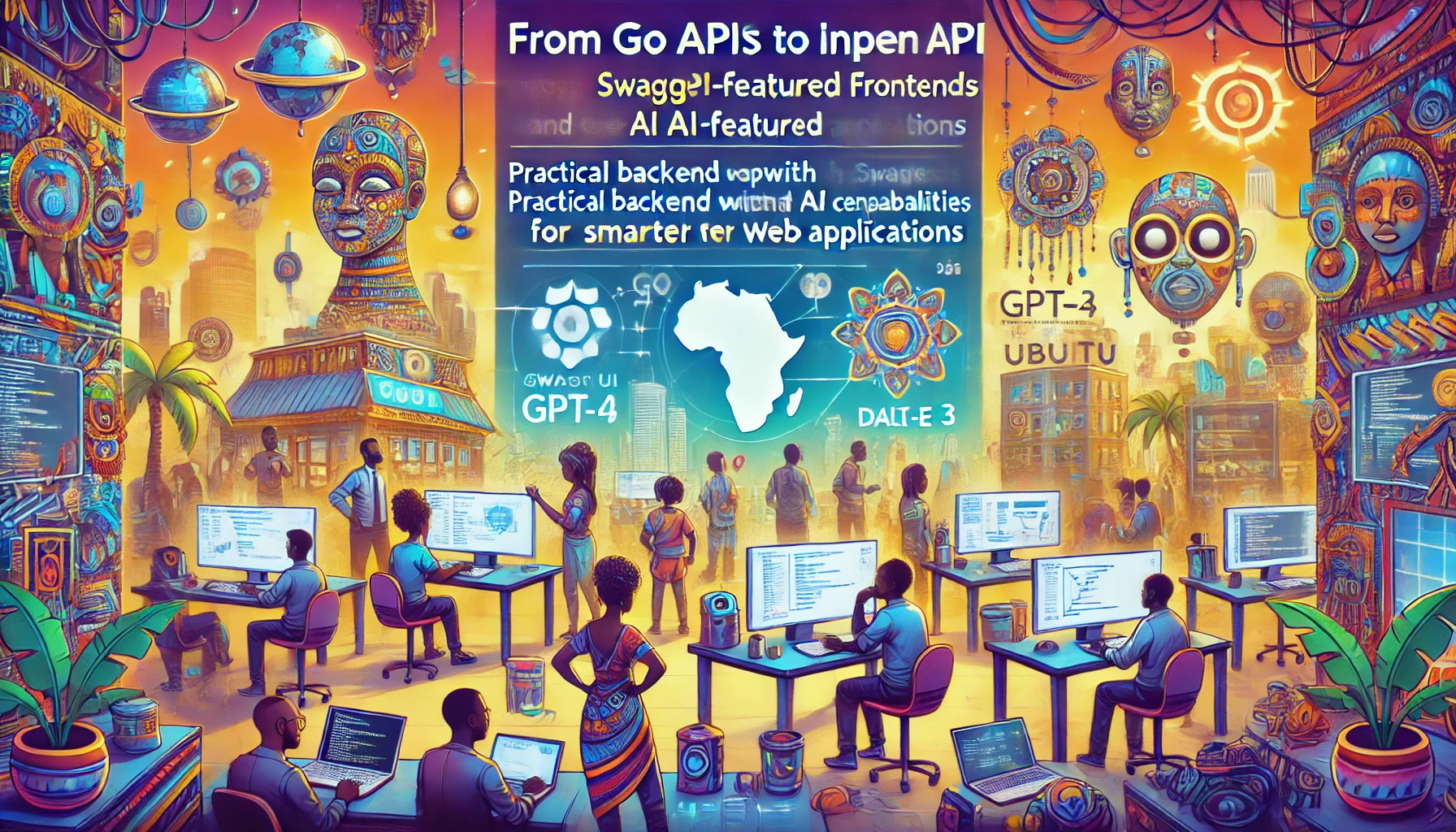
Go API से AI-फीचर्ड फ्रंटएंड तक
- Go, OpenAPI और CUE के साथ आधुनिक API बनाना
- Go net/http पैकेज
- GJSON पैकेज के साथ JSON पार्स करना
- डेमो 1: Go से OpenAI के gpt-4o API के साथ इंटरैक्ट करना
- CUE भाषा (Configure Unify Execute)
- डेमो 2: Go और Cue के साथ बेसिक API
- डेमो 3: Swagger UI
- डेमो 4: छवि जानकारी पुनर्प्राप्ति
- डेमो 5: ट्रिपल स्ट्रीमिंग
- संदर्भ
Go, OpenAPI और CUE के साथ आधुनिक API बनाना
परिचय
इस कोर्स में, हम मजबूत, टाइप-सेफ और अच्छी तरह से प्रलेखित (well-documented) API बनाने के लिए Go, OpenAPI और CUE के शक्तिशाली संयोजन का पता लगाएंगे। यह आधुनिक दृष्टिकोण रखरखाव योग्य और मान्य API कार्यान्वयन बनाने के लिए प्रत्येक तकनीक की ताकत का लाभ उठाता है।
मुख्य तकनीकें
Go प्रोग्रामिंग भाषा
Go वेब सेवाओं के निर्माण के लिए एक उत्कृष्ट आधार प्रदान करता है, जिसमें शामिल हैं:
- मजबूत मानक लाइब्रेरी
- इन-बिल्ट कॉनकरेंसी (concurrency)
- उत्कृष्ट प्रदर्शन विशेषताएँ
- स्पष्ट और रखरखाव योग्य सिंटैक्स
- टूल्स और पैकेज का समृद्ध इकोसिस्टम
Go का HTTP पैकेज
net/http पैकेज दोनों के रूप में कार्य करता है:
सर्वर-साइड
- नेटिव HTTP सर्वर कार्यान्वयन
- रिक्वेस्ट रूटिंग और हैंडलिंग
- मिडलवेयर सपोर्ट
- रिस्पॉन्स राइटिंग यूटिलिटीज
क्लाइंट-साइड
- HTTP क्लाइंट ऑपरेशंस
- रिक्वेस्ट कंपोजिशन
- रिस्पॉन्स हैंडलिंग
- कनेक्शन पूलिंग
CUE भाषा
CUE (Configure, Unify, Execute) कई महत्वपूर्ण क्षमताएं लाता है:
स्कीमा परिभाषा
- टाइप-सेफ परिभाषाएँ
- बाधा (constraint) विनिर्देश
- कंपोजिशन और इनहेरिटेंस
- डिफ़ॉल्ट मान
JSON स्कीमा जनरेशन
- OpenAPI 3.0 स्कीमा जनरेशन
- टाइप वैलिडेशन
- डॉक्यूमेंटेशन जनरेशन
- कॉन्ट्रैक्ट एनफोर्समेंट
रनटाइम वैलिडेशन
- रिक्वेस्ट/रिस्पॉन्स वैलिडेशन
- डेटा कंसिस्टेंसी चेक
- एरर मैसेजिंग
- टाइप एसेर्शन
उद्देश्य
- OpenAPI 3.0 विनिर्देशों का उपयोग करके API डिज़ाइन करना
- CUE की शक्तिशाली बाधा प्रणाली का उपयोग करके स्कीमा परिभाषित करना
- CUE परिभाषाओं से OpenAPI डॉक्यूमेंटेशन जनरेट करना
- Go की मानक लाइब्रेरी का उपयोग करके API लागू करना
- CUE का उपयोग करके रिक्वेस्ट और रिस्पॉन्स को मान्य करना
- रखरखाव योग्य और टाइप-सेफ API कार्यान्वयन बनाना
यह संयोजन क्यों?
टाइप सेफ्टी
- Go की स्टेटिक टाइपिंग
- CUE की बाधा प्रणाली
- OpenAPI की स्कीमा परिभाषाएँ
डेवलपर अनुभव
- चिंताओं का स्पष्ट पृथक्करण (Separation of concerns)
- स्वचालित वैलिडेशन
- स्वयं-प्रलेखित (Self-documenting) API
- टूल-फ्रेंडली फॉर्मेट
रखरखाव के लाभ
- टाइप्स के लिए सत्य का एकल स्रोत (Single source of truth)
- स्वचालित स्कीमा जनरेशन
- रनटाइम वैलिडेशन
- स्पष्ट कॉन्ट्रैक्ट परिभाषाएँ
टूलिंग इंस्टॉलेशन गाइड
डेवलपमेंट एनवायरनमेंट सेट करना
Goenv इंस्टॉल करना
macOS (Homebrew का उपयोग करके)
brew install goenvLinux/Unix
git clone https://github.com/go-nv/goenv.git ~/.goenvशेल कॉन्फ़िगर करें (~/.bashrc या ~/.zshrc में जोड़ें)
export GOENV_ROOT="$HOME/.goenv"
export PATH="$GOENV_ROOT/bin:$PATH"
eval "$(goenv init -)"
Goenv का उपयोग करके Go इंस्टॉल करना
उपलब्ध वर्ज़न की सूची
goenv install --listनवीनतम स्टेबल वर्ज़न इंस्टॉल करें
goenv install 1.23.3ग्लोबल Go वर्ज़न सेट करें
goenv global 1.23.3इंस्टॉलेशन सत्यापित करें
go versionCUE इंस्टॉल करना
Go install का उपयोग करके
go install cuelang.org/go/cmd/cue@latestCUE इंस्टॉलेशन सत्यापित करें
cue versionGo net/http पैकेज
Go का `net/http` पैकेज HTTP क्लाइंट और सर्वर कार्यान्वयन प्रदान करता है। इसका उपयोग API कॉल करने और वेब सर्वर बनाने के लिए किया जाता है।
मुख्य विशेषताएं
- HTTP/1.1, HTTP2 के लिए सपोर्ट
- TLS (HTTPS) सपोर्ट
- HTTP क्लाइंट और सर्वर एब्स्ट्रैक्शन
- `http.ServeMux` के माध्यम से रूटिंग सपोर्ट
HTTP क्लाइंट
`http.Client` टाइप का उपयोग HTTP रिक्वेस्ट करने के लिए किया जाता है।
HTTP GET रिक्वेस्ट बनाना
package main

import (
    "fmt"
    "io"
    "net/http"
)

func main() {
    resp, err := http.Get("https://api.example.com/data")
    if err != nil {
        fmt.Println("Error:", err)
        return
    }
    defer resp.Body.Close()

    body, err := io.ReadAll(resp.Body)
    if err != nil {
        fmt.Println("Error reading response body:", err)
        return
    }

    fmt.Println("Response Body:", string(body))
}
HTTP POST रिक्वेस्ट बनाना
package main

import (
    "bytes"
    "fmt"
    "net/http"
)

func main() {
    jsonData := []byte(`{"key": "value"}`)
    resp, err := http.Post("https://api.example.com/data", "application/json", bytes.NewBuffer(jsonData))
    if err != nil {
        fmt.Println("Error:", err)
        return
    }
    defer resp.Body.Close()

    fmt.Println("Response Status:", resp.Status)
}
HTTP सर्वर
`http.Server` टाइप का उपयोग HTTP सर्वर लागू करने के लिए किया जाता है।
बेसिक HTTP सर्वर
package main

import (
    "fmt"
    "net/http"
)

func helloHandler(w http.ResponseWriter, r *http.Request) {
    fmt.Fprintf(w, "Hello, World!")
}

func main() {
    http.HandleFunc("/hello", helloHandler)
    http.ListenAndServe(":8080", nil)
}
रूटिंग के लिए http.ServeMux का उपयोग करना
package main

import (
    "fmt"
    "net/http"
)

func helloHandler(w http.ResponseWriter, r *http.Request) {
    fmt.Fprintf(w, "Hello, World!")
}

func main() {
    mux := http.NewServeMux()
    mux.HandleFunc("/hello", helloHandler)

    server := &http.Server{
        Addr:    ":8080",
        Handler: mux,
    }

    server.ListenAndServe()
}
Http पैकेज डॉक्यूमेंटेशन
GJSON पैकेज के साथ JSON पार्स करना
अवलोकन
- Go के लिए तेज़ JSON पार्सर
- JSON से मान निकालने के लिए पाथ सिंटैक्स का उपयोग करता है
- किसी सीरियलाइजेशन/डी-सीरियलाइजेशन की आवश्यकता नहीं
- शून्य डिपेंडेंसी
- थ्रेड-सेफ
मुख्य विशेषताएं
पाथ सिंटैक्स
{"name": {"first": "John"}}
// एक्सेस करें: "name.first" -> "John"
समर्थित टाइप्स
- स्ट्रिंग्स
- नंबर्स
- बूलियन्स
- नल
- एरेज़
- ऑब्जेक्ट्स
प्रदर्शन
- बहुत तेज़ पार्सिंग
- कोई एलोकेशन ओवरहेड नहीं
- सीधे []byte पर काम करता है
सामान्य ऑपरेशंस
value := gjson.Get(json, "path.to.value")
value.String()  // स्ट्रिंग के रूप में प्राप्त करें
value.Int()     // इंटीजर के रूप में प्राप्त करें
value.Array()   // एरे के रूप में प्राप्त करें
value.Map()     // मैप के रूप में प्राप्त करें
मॉडिफायर्स
- @reverse: एरे को उल्टा करें
- @flatten: एरे को फ्लैट करें
- @join: एरे एलिमेंट्स को जोड़ें
- @valid: JSON को मान्य करें
उपयोग के मामले
- API रिस्पॉन्स पार्सिंग
- कॉन्फ़िगरेशन हैंडलिंग
- JSON डेटा एक्सट्रैक्शन
- प्रदर्शन-महत्वपूर्ण JSON ऑपरेशंस
GJSON डॉक्यूमेंटेशन लिंक्स
GitHub रिपॉजिटरी
GoDoc डॉक्यूमेंटेशन
डेमो 1: Go से OpenAI के gpt-4o API के साथ इंटरैक्ट करना
var (
    apiURL = "https://api.openai.com/v1/chat/completions" // वास्तविक एंडपॉइंट से बदलें
    apiKey = os.Getenv("OPENAI_API_KEY")
    imagePath = "assets/from-go-apis-to-ai-enhanced-frontends.webp"
    prompt = "छवि में दृश्यों का वर्णन करें।"
)

fmt.Println(fmt.Sprintf("इससे जानकारी निकाल रहे हैं: %v\n", imagePath))
// छवि लोड करें और base64 के रूप में एनकोड करें
imageBytes, err := os.ReadFile(imagePath)
if err != nil {
    fmt.Println("छवि फ़ाइल पढ़ने में त्रुटि:", err)
    return
}
imageBase64 := base64.StdEncoding.EncodeToString(imageBytes)

requestBody, err := json.Marshal(map[string]any{
	"model":      "gpt-4o",
    "max_tokens": 4096,
    "messages": []map[string]any{
		{
			"role": "user",
			"content": []map[string]any{
				{
					"type": "text",
					"text": prompt,
				},
				{
					"type": "image_url",
					"image_url": map[string]any{
						"url": fmt.Sprintf("data:image/webp;base64, %s", imageBase64),
					},
				},
			},
		},
	},
})
if err != nil {
	fmt.Println("JSON मार्शलिंग में त्रुटि:", err)
	return
}

req, err := http.NewRequest("POST", apiURL, bytes.NewBuffer(requestBody))
if err != nil {
	fmt.Println("रिक्वेस्ट बनाने में त्रुटि:", err)
	return
}
req.Header.Set("Authorization", "Bearer "+apiKey)
req.Header.Set("Content-Type", "application/json")

client := &http.Client{}
resp, err := client.Do(req)
if err != nil {
    fmt.Println("रिक्वेस्ट करने में त्रुटि:", err)
    return
}
defer resp.Body.Close()

body, err := io.ReadAll(resp.Body)
if err != nil {
    fmt.Println("रिस्पॉन्स बॉडी पढ़ने में त्रुटि:", err)
    return
}

responseString := string(body)
// fmt.Println("Response:", responseString)

result := gjson.Get(responseString, "choices.0.message.content")

fmt.Println(result.Str)
CUE भाषा (Configure Unify Execute)
अवलोकन
CUE एक कॉन्फ़िगरेशन और बाधा भाषा है जिसे Google द्वारा जटिल कॉन्फ़िगरेशन और डेटा वैलिडेशन को प्रबंधित करने में मदद करने के लिए बनाया गया है।
मुख्य अवधारणाएं
डेटा मॉडल
- ओपन-वर्ल्ड मॉडल
- इनहेरिटेंस और कंपोजिशन
- स्ट्रॉन्गली टाइप्ड
- डिक्लेरेटिव
मुख्य विशेषताएं
टाइप बाधाएं (Type Constraints)
#Person: {
    name:  string
    age:   int & >=0 & <=120
    email: string & =~"^[a-zA-Z0-9._%+-]+@[a-zA-Z0-9.-]+\\.[a-zA-Z]{2,}$"
}
मान बाधाएं (Value Constraints)
settings: {
    timeout: int & >=0 & <=60
    mode:    "dev" | "prod" | "stage"
}
Go के साथ एकीकरण
Go स्ट्रक्ट टैग्स
type Person struct {
    Name  string `json:"name" cue:"string"`
    Age   int    `json:"age" cue:">=0 & <=120"`
    Email string `json:"email"`
}
वैलिडेशन उदाहरण
import "cuelang.org/go/cue"

const schema = `
#Person: {
    name:  string
    age:   int & >=0
    email: string
}
`

func validate(data interface{}) error {
    ctx := cue.context.New()
    v := ctx.CompileString(schema)
    return v.Validate()
}
सामान्य उपयोग के मामले
कॉन्फ़िगरेशन प्रबंधन
#Database: {
    host:     string
    port:     int & >=1024 & <=65535
    user:     string
    password: string
}

prod: #Database & {
    host: "prod.db.example.com"
    port: 5432
    user: "admin"
}
डेटा वैलिडेशन
#APIConfig: {
    endpoints: [...{
        path:   string & =~"^/"
        method: "GET" | "POST" | "PUT" | "DELETE"
        auth:   bool | *true
    }]
}
OpenAPI जनरेशन
openapi: "3.0.0"
info: {
    title:   "My API"
    version: "1.0.0"
}
टूलिंग
कमांड लाइन
- cue eval
- cue fmt
- cue vet
- cue export
IDE सपोर्ट
- VSCode एक्सटेंशन
- GoLand/IntelliJ प्लगइन
सर्वोत्तम अभ्यास
स्कीमा परिभाषा
- परिभाषाओं के लिए # उपसर्ग का उपयोग करें
- बाधाओं को सरल और स्पष्ट रखें
- सार्थक नामों का उपयोग करें
त्रुटि हैंडलिंग
if err := val.Validate(); err != nil {
    return fmt.Errorf("वैलिडेशन विफल: %w", err)
}
संसाधन
आधिकारिक डॉक्यूमेंटेशन
सीखने के संसाधन
- आधिकारिक ट्यूटोरियल
- GitHub उदाहरण
- सामुदायिक गाइड
सामान्य पैटर्न
डिफ़ॉल्ट मान
#Config: {
    debug: bool | *false
    port:  int | *8080
}
कंपोजिशन
#Base: {
    version: string
}

#Service: #Base & {
    name:  string
    ports: [...int]
}
Go के साथ संबंध
एकीकरण बिंदु
- डायरेक्ट Go API
- स्ट्रक्ट टैग सपोर्ट
- कोड जनरेशन
- रनटाइम वैलिडेशन
लाभ
- टाइप सेफ्टी
- स्कीमा वैलिडेशन
- कॉन्फ़िगरेशन प्रबंधन
- डेटा मॉडलिंग
उपयोग के मामले
- API परिभाषाएँ
- कॉन्फ़िगरेशन फ़ाइलें
- डेटा वैलिडेशन
- स्कीमा जनरेशन
त्रुटि संदेश
invalid value "foo" (does not match ">=0 & <=120")
conflicting values false and true
field "required" not allowed
CUE भाषा डॉक्यूमेंटेशन लिंक्स
आधिकारिक संसाधन
- मुख्य वेबसाइट: https://cuelang.org/
- आधिकारिक डॉक्यूमेंटेशन: https://cuelang.org/docs/
- API संदर्भ: https://pkg.go.dev/cuelang.org/go/cue
GitHub संसाधन
- मुख्य रिपॉजिटरी: https://github.com/cue-lang/cue
- CUE प्लेग्राउंड: https://cuelang.org/play/
सीखने के संसाधन
- संदर्भ गाइड: https://cuelang.org/docs/references/
- विनिर्देश: https://cuelang.org/docs/references/spec/
डेमो 2: Go और Cue के साथ बेसिक API
एंटिटीज
#User: {
    id:   string
    name: string & =~"^[A-Za-z ]+$"
}
JSON / Yaml स्कीमा के रूप में एंटिटीज:
rm -rf contracts/basic_schema.yaml # यदि पहले से मौजूद है तो हटाएं

cue def contracts/user.cue -o contracts/basic_schema.yaml --out openapi+yaml # स्कीमा जनरेट करें

cat contracts/basic_schema.yaml # परिणामी फ़ाइल की सामग्री दिखाएं
openapi: 3.0.0
info:
  title: Generated by cue.
  version: no version
paths: {}
components:
  schemas:
    User:
      type: object
      required:
        - id
        - name
      properties:
        id:
          type: string
        name:
          type: string
          pattern: ^[A-Za-z ]+$
OpenAPI कॉन्ट्रैक्ट:
पिछले आउटपुट में सुधार करते हुए, हम मैन्युअल रूप से `paths` परिभाषा को शामिल करते हैं।
# basic_schema.yaml
openapi: 3.0.0
info:
  title: User API
  version: 1.0.0
paths:
  /users:
    post:
      summary: उपयोगकर्ता बनाएं
      requestBody:
        required: true
        content:
          application/json:
            schema:
              $ref: '#/components/schemas/User'
      responses:
        '200':
          description: उपयोगकर्ता बनाया गया
          content:
            application/json:
              schema:
                $ref: '#/components/schemas/User'
components:
  schemas:
    User:
      type: object
      required:
        - id
        - name
      properties:
        id:
          type: string
        name:
          type: string
          pattern: ^[A-Za-z ]+$
सर्वर:
package main

// basic_cueapi.go

import (
	"encoding/json"
	"fmt"
	"log"
	"net/http"

	"cuelang.org/go/cue"
	"cuelang.org/go/cue/cuecontext"
)

type User struct {
	ID   string `json:"id"`
	Name string `json:"name"`
}

const schema = `
#User: {
    id:   string
    name: string & =~"^[A-Za-z ]+$"
}
`

var ctx = cuecontext.New()
var userSchema = ctx.CompileString(schema)

func validateUser(u User) error {
	val := ctx.Encode(u)
	return val.Unify(userSchema.LookupPath(cue.ParsePath("#User"))).Err()
}

func userHandler(w http.ResponseWriter, r *http.Request) {

	var user User
	if err := json.NewDecoder(r.Body).Decode(&user); err != nil {
		http.Error(w, err.Error(), http.StatusBadRequest)
		return
	}

	if err := validateUser(user); err != nil {
		fmt.Println(fmt.Errorf("INVALID_PAYLOAD:::: +%v", err))
		http.Error(w, err.Error(), http.StatusBadRequest)
		return
	}

	w.Header().Set("Content-Type", "application/json")
	json.NewEncoder(w).Encode(user)
}

func main() {
	http.HandleFunc("POST /users", userHandler)
	log.Fatal(http.ListenAndServe(":8080", nil))
}
आइए इस बेसिक API का परीक्षण करें:
echo "हैप्पी पाथ परिदृश्य परिणाम:"
echo ""
curl -X POST localhost:8080/users -d '{"id":"1","name":"John Doe"}' # हैप्पी पाथ टेस्ट

echo ""
echo ""

echo "वैलिडेशन विफल परिदृश्य परिणाम:"
echo ""
curl -X POST localhost:8080/users -d '{"id":"1","name":"1234"}' # स्कीमा वैलिडेशन विफल
हैप्पी पाथ परिदृश्य परिणाम:

{"id":"1","name":"John Doe"}


वैलिडेशन विफल परिदृश्य परिणाम:

name: invalid value "1234" (out of bound =~"^[A-Za-z ]+$")
डेमो 3: Swagger UI
Yaml से JSON रूपांतरण
mkdir -p demos/demo3

go run cli.go y2j contracts/demo2.yaml demos/demo3/openapi.json
contracts/demo2.yaml को demos/demo3/openapi.json में सफलतापूर्वक परिवर्तित किया गया
अपडेटेड सर्वर
package main

import (
	"embed"
	"encoding/json"
	"fmt"
    "html/template"
	"log"
	"net/http"

	"cuelang.org/go/cue"
	"cuelang.org/go/cue/cuecontext"
)


//go:embed *
var content embed.FS

type User struct {
	ID   string `json:"id"`
	Name string `json:"name"`
}

const schema = `
#User: {
    id:   string
    name: string & =~"^[A-Za-z ]+$"
}
`

var ctx = cuecontext.New()
var userSchema = ctx.CompileString(schema)

func validateUser(u User) error {
	val := ctx.Encode(u)
	return val.Unify(userSchema.LookupPath(cue.ParsePath("#User"))).Err()
}

func userHandler(w http.ResponseWriter, r *http.Request) {

	var user User
	if err := json.NewDecoder(r.Body).Decode(&user); err != nil {
		http.Error(w, err.Error(), http.StatusBadRequest)
		return
	}

	if err := validateUser(user); err != nil {
		fmt.Println(fmt.Errorf("INVALID_PAYLOAD:::: +%v", err))
		http.Error(w, err.Error(), http.StatusBadRequest)
		return
	}

	w.Header().Set("Content-Type", "application/json")
	json.NewEncoder(w).Encode(user)
}

func main() {
    // API एंडपॉइंट्स
	http.HandleFunc("POST /users", userHandler)

    // OpenAPI स्पेक सर्व करें
    http.HandleFunc("GET /openapi.json", func(w http.ResponseWriter, r *http.Request) {
        w.Header().Set("Content-Type", "application/json")
        spec, _ := content.ReadFile("openapi.json")
        w.Write(spec)
    })

    // Swagger UI सर्व करें
    http.HandleFunc("GET /docs", func(w http.ResponseWriter, r *http.Request) {
        w.Header().Set("Content-Type", "text/html")
        tmpl := template.Must(template.New("swagger").Parse(swaggerTemplate))
        tmpl.Execute(w, nil)
    })

    log.Printf("सर्वर http://localhost:8080 पर शुरू हो रहा है")
    log.Printf("API डॉक्यूमेंटेशन http://localhost:8080/docs पर उपलब्ध है")
	log.Fatal(http.ListenAndServe(":8080", nil))
}

const swaggerTemplate = `


`
डेमो 4: छवि जानकारी पुनर्प्राप्ति
मुख्य विशेषताएं
छवि प्रकार प्रबंधन
React हुक सीधे अपलोड की गई छवि `File` ऑब्जेक्ट से छवि प्रकार प्राप्त करता है और हिडन फ़ील्ड सेट करता है
छवि आकार प्रबंधन
छवि आकार को API में `min` और `max` स्ट्रिंग लंबाई के माध्यम से लागू किया जाता है।
10MB स्ट्रिंग के base64 आकार की एक अनुमानित गणना:
-
सबसे पहले, 10MB को बाइट्स में बदलें:
- 10MB = 10 * 1024 * 1024 = 10,485,760 बाइट्स
-
सूत्र लागू करें: ceil(n / 3) * 4
- n = 10,485,760
- 10,485,760 / 3 = 3,495,253.33…
- ceil(3,495,253.33…) = 3,495,254
- 3,495,254 * 4 = 13,981,016 बाइट्स
तो एक `10MB स्ट्रिंग` base64 एनकोड होने पर लगभग `13.98MB` होगी (13,981,016 बाइट्स ≈ 13.98MB)
एंटिटीज
import "strings"

// छवि अपलोड कॉन्ट्रैक्ट
#ImageUpload: {
	// अद्वितीय पहचानकर्ता
	id: string & =~"^[0-9a-zA-Z -]{36}$"

	// छवि प्रॉम्प्ट
	prompt: string & =~"^.{3,100}$" & =~"^[A-Za-z0-9 -_.]+$"

	// Base64 एनकोडेड छवि
	blob: string & strings.MinRunes(3) & strings.MaxRunes(13_900_000) & =~"^data:image/(jpeg|png|gif|webp);base64,[A-Za-z0-9+/]+=*$"
}

// छवि अपलोड स्थिति
#ImageUploadStatus: {
	// अद्वितीय पहचानकर्ता
	id: string & =~"^[0-9a-zA-Z -]{36}$"

	// छवि प्रॉम्प्ट
	prompt: string & strings.MinRunes(3) & strings.MaxRunes(100) & =~"^[A-Za-z0-9 -_.]+$"

	// छवि अपलोड स्थिति
	status: string & strings.MinRunes(3) & strings.MaxRunes(300) & =~"^[A-Za-z0-9 -_.]+$"
}
JSON / Yaml स्कीमा के रूप में एंटिटीज:
rm -rf contracts/image.yaml # यदि पहले से मौजूद है तो हटाएं

cue def contracts/image.cue -o contracts/image.yaml --out openapi+yaml # स्कीमा जनरेट करें

cat contracts/image.yaml # परिणामी फ़ाइल की सामग्री दिखाएं
openapi: 3.0.0
info:
  title: Generated by cue.
  version: no version
paths: {}
components:
  schemas:
    ImageUpload:
      description: छवि अपलोड कॉन्ट्रैक्ट
      type: object
      required:
        - id
        - prompt
        - blob
      properties:
        id:
          description: अद्वितीय पहचानकर्ता
          type: string
          pattern: ^[0-9a-zA-Z -]{36}$
        prompt:
          description: छवि प्रॉम्प्ट
          type: string
          allOf:
            - pattern: ^.{3,100}$
            - pattern: ^[A-Za-z0-9 -_.]+$
        blob:
          description: Base64 एनकोडेड छवि
          type: string
          minLength: 3
          maxLength: 13900000
          pattern: ^data:image/(jpeg|png|gif|webp);base64,[A-Za-z0-9+/]+=*$
    ImageUploadStatus:
      description: छवि अपलोड स्थिति
      type: object
      required:
        - id
        - prompt
        - status
      properties:
        id:
          description: अद्वितीय पहचानकर्ता
          type: string
          pattern: ^[0-9a-zA-Z -]{36}$
        prompt:
          description: छवि प्रॉम्प्ट
          type: string
          minLength: 3
          maxLength: 100
          pattern: ^[A-Za-z0-9 -_.]+$
        status:
          description: छवि अपलोड स्थिति
          type: string
          minLength: 3
          maxLength: 300
          pattern: ^[A-Za-z0-9 -_.]+$
OpenAPI कॉन्ट्रैक्ट:
हम पिछले आउटपुट में मैन्युअल रूप से `paths` परिभाषा को शामिल करते हैं।
openapi: 3.0.0
info:
 title: छवि अपलोड कॉन्ट्रैक्ट
 version: 1.0.0
paths:
 /extract-image-info:
   post:
     summary: छवि जानकारी निकालें
     requestBody:
       required: true
       content:
         application/json:
           schema:
             $ref: '#/components/schemas/ImageUpload'
     responses:
       '200':
         description: छवि सफलतापूर्वक संसाधित हुई
         content:
           application/json:
             schema:
               $ref: '#/components/schemas/ImageUploadStatus'
       '400':
         description: छवि प्रसंस्करण विफल
         content:
           application/json:
             schema:
               $ref: '#/components/schemas/ImageUploadStatus'
components:
 schemas:
   ImageUpload:
     description: छवि अपलोड कॉन्ट्रैक्ट
     type: object
     required:
       - id
       - prompt
       - blob
     properties:
       id:
         description: अद्वितीय पहचानकर्ता
         type: string
         pattern: ^[0-9a-zA-Z -]{36}$
       prompt:
         description: छवि प्रॉम्प्ट
         type: string
         allOf:
           - pattern: ^.{3,100}$
           - pattern: ^[A-Za-z0-9 -_.]+$
       blob:
         description: Base64 एनकोडेड छवि
         type: string
         minLength: 3
         maxLength: 13900000
         pattern: ^data:image/(jpeg|png|gif|webp);base64,[A-Za-z0-9+/]+=*$
   ImageUploadStatus:
     description: छवि अपलोड स्थिति
     type: object
     required:
       - id
       - prompt
       - status
     properties:
       id:
         description: अद्वितीय पहचानकर्ता
         type: string
         pattern: ^[0-9a-zA-Z -]{36}$
       prompt:
         description: छवि प्रॉम्प्ट
         type: string
         minLength: 3
         maxLength: 100
         pattern: ^[A-Za-z0-9 -_.]+$
       status:
         description: छवि अपलोड स्थिति
         type: string
         minLength: 3
         maxLength: 300
         pattern: ^[A-Za-z0-9 -_.]+$
Yaml से JSON रूपांतरण
mkdir -p demos/demo4

go run cli.go y2j contracts/demo4.yaml demos/demo4/openapi.json
contracts/demo4.yaml को demos/demo4/openapi.json में सफलतापूर्वक परिवर्तित किया गया
सर्वर:
package main

import (
	"bytes"
	"embed"
	"encoding/json"
	"fmt"
	"html/template"
	"io"
	"log"
	"net/http"
	"os"

	"cuelang.org/go/cue"
	"cuelang.org/go/cue/cuecontext"
	"github.com/tidwall/gjson"
)

var (
	apiURL = "https://api.openai.com/v1/chat/completions" // वास्तविक एंडपॉइंट से बदलें
	apiKey = os.Getenv("OPENAI_API_KEY")
)

//go:embed *
var content embed.FS

type ImageUpload struct {
	ID     string `json:"id"`
	Prompt string `json:"prompt"`
	Blob   string `json:"blob"`
}

type ImageUploadStatus struct {
	ID     string `json:"id"`
	Prompt string `json:"prompt"`
	Status string `json:"status"`
}

const schema = `

import "strings"

// छवि अपलोड कॉन्ट्रैक्ट
#ImageUpload: {
	// अद्वितीय पहचानकर्ता
	id: string & =~"^[0-9a-zA-Z -]{36}$"

	// छवि प्रॉम्प्ट
	prompt: string & =~"^.{3,100}$" & =~"^[A-Za-z0-9 -_.]+$"

	// Base64 एनकोडेड छवि
	blob: string & strings.MinRunes(3) & strings.MaxRunes(13_900_000) & =~"^data:image/(jpeg|png|gif|webp);base64,[A-Za-z0-9+/]+=*$"
}

// छवि अपलोड स्थिति
#ImageUploadStatus: {
	// अद्वितीय पहचानकर्ता
	id: string & =~"^[0-9a-zA-Z -]{36}$"

	// छवि प्रॉम्प्ट
	prompt: string & strings.MinRunes(3) & strings.MaxRunes(100) & =~"^[A-Za-z0-9 -_.]+$"

	// छवि अपलोड स्थिति
	status: string & strings.MinRunes(3) & strings.MaxRunes(300) & =~"^[A-Za-z0-9 -_.]+$"
}

`

var ctx = cuecontext.New()
var compiledSchema = ctx.CompileString(schema)

func validateImageUpload(p ImageUpload) error {
	val := ctx.Encode(p)
	return val.Unify(compiledSchema.LookupPath(cue.ParsePath("#ImageUpload"))).Err()
}

func validateImageUploadStatus(p ImageUploadStatus) error {
	val := ctx.Encode(p)
	return val.Unify(compiledSchema.LookupPath(cue.ParsePath("#ImageUploadStatus"))).Err()
}

func processImageUploadHandler(w http.ResponseWriter, r *http.Request) {

	var (
		image  ImageUpload
		status ImageUploadStatus
	)
	if err := json.NewDecoder(r.Body).Decode(&image); err != nil {
		fmt.Println(fmt.Errorf("BAD_PAYLOAD:::: +%v", err))
		status = ImageUploadStatus{
			ID:     "bad-id",
			Prompt: "bad-prompt",
			Status: err.Error(),
		}
		w.Header().Set("Content-Type", "application/json")
		w.WriteHeader(http.StatusBadRequest)
		json.NewEncoder(w).Encode(status)
		return
	}

	if err := validateImageUpload(image); err != nil {
		fmt.Println(fmt.Errorf("INVALID_PAYLOAD:::: +%v with image size: %d", err, len(image.Blob)))
		status = ImageUploadStatus{
			ID:     "bad-id",
			Prompt: "bad-prompt",
			Status: err.Error(),
		}
		w.Header().Set("Content-Type", "application/json")
		w.WriteHeader(http.StatusBadRequest)
		json.NewEncoder(w).Encode(status)
		return
	}

	if err, info := getInfoFromImage(image.Blob, image.Prompt); err != nil {
		fmt.Println(fmt.Errorf("INFO_RETRIEVAL_ERROR:::: +%v with image size: %d", err, len(image.Blob)))
		status = ImageUploadStatus{
			ID:     "bad-id",
			Prompt: "bad-prompt",
			Status: err.Error(),
		}
		w.Header().Set("Content-Type", "application/json")
		w.WriteHeader(http.StatusBadRequest)
		json.NewEncoder(w).Encode(status)
		return
	} else {
		w.Header().Set("Content-Type", "application/json")
		status = ImageUploadStatus{
			ID:     image.ID,
			Prompt: image.Prompt,
			Status: info,
		}
		fmt.Println(fmt.Sprintf("Extracted Image Data; +%v", status))
		json.NewEncoder(w).Encode(status)
	}
}

func main() {
	// API एंडपॉइंट्स
	http.HandleFunc("POST /extract-image-info", processImageUploadHandler)

	// OpenAPI स्पेक सर्व करें
	http.HandleFunc("GET /openapi.json", func(w http.ResponseWriter, r *http.Request) {
		w.Header().Set("Content-Type", "application/json")
		spec, _ := content.ReadFile("openapi.json")
		w.Write(spec)
	})

	// Swagger UI सर्व करें
	http.HandleFunc("GET /docs", func(w http.ResponseWriter, r *http.Request) {
		w.Header().Set("Content-Type", "text/html")
		tmpl := template.Must(template.New("swagger").Parse(swaggerTemplate))
		tmpl.Execute(w, nil)
	})

	log.Printf("सर्वर http://localhost:8080 पर शुरू हो रहा है")
	log.Printf("API डॉक्यूमेंटेशन http://localhost:8080/docs पर उपलब्ध है")
	log.Fatal(http.ListenAndServe(":8080", nil))
}

const swaggerTemplate = `


`

func getInfoFromImage(imageUrl, prompt string) (error, string) {
	requestBody, err := json.Marshal(map[string]any{
		"model":      "gpt-4o",
		"max_tokens": 4096,
		"messages": []map[string]any{
			{
				"role": "user",
				"content": []map[string]any{
					{
						"type": "text",
						"text": prompt,
					},
					{
						"type": "image_url",
						"image_url": map[string]any{
							"url": imageUrl,
						},
					},
				},
			},
		},
	})
	if err != nil {
		return fmt.Errorf("JSON मार्शलिंग में त्रुटि: %w", err), ""
	}

	req, err := http.NewRequest("POST", apiURL, bytes.NewBuffer(requestBody))
	if err != nil {
		return fmt.Errorf("रिक्वेस्ट बनाने में त्रुटि: %w", err), ""
	}
	req.Header.Set("Authorization", "Bearer "+apiKey)
	req.Header.Set("Content-Type", "application/json")

	client := &http.Client{}
	resp, err := client.Do(req)
	if err != nil {
		return fmt.Errorf("रिक्वेस्ट करने में त्रुटि: %w", err), ""
	}
	defer resp.Body.Close()

	body, err := io.ReadAll(resp.Body)
	if err != nil {
		return fmt.Errorf("रिस्पॉन्स बॉडी पढ़ने में त्रुटि: %w", err), ""
	}

	responseString := string(body)
	// fmt.Println("Response:", responseString)

	result := gjson.Get(responseString, "choices.0.message.content")

	response := result.Str
	fmt.Println("Response:", response)

	return nil, response
}
डेमो 5: ट्रिपल स्ट्रीमिंग
sequenceDiagram
    participant LLM as लार्ज लैंग्वेज मॉडल
    participant BE as बैकएंड
    participant UI as UI लेयर
    participant BR as ब्राउज़र

    BR->>UI: 1. रिक्वेस्ट (प्रॉम्प्ट/इंटरैक्शन)
    UI->>BE: 2. प्रॉम्प्ट फॉरवर्ड करें
    BE->>LLM: 3. stream=true के साथ LLM को कॉल करें
    Note right of LLM: LLM इंक्रीमेंटली
 टोकन जनरेट करता है
    LLM-->>BE: 4. आंशिक टोकन स्ट्रीम करें
    Note right of BE: बैकएंड टोकन को रिले करता है
 जैसे ही वे आते हैं
    BE-->>UI: 5. आंशिक टोकन स्ट्रीम करें
    UI-->>BR: 6. ब्राउज़र पर आंशिक टोकन पुश करें
    Note right of BR: ब्राउज़र UI को रीयल-टाइम में अपडेट करता है,
 टोकन को स्ट्रीम होते ही प्रदर्शित करता है
एंटिटीज
import "strings"

// छवि अपलोड कॉन्ट्रैक्ट
#ImageUpload: {
	// अद्वितीय पहचानकर्ता
	id: string & =~"^[0-9a-zA-Z -]{36}$"

	// छवि प्रॉम्प्ट
	prompt: string & =~"^.{3,100}$" & =~"^[A-Za-z0-9 -_.]+$"

	// स्ट्रीम सक्षम
	stream: bool

	// Base64 एनकोडेड छवि
	blob: string & strings.MinRunes(3) & strings.MaxRunes(13_900_000) & =~"^data:image/(jpeg|png|gif|webp);base64,[A-Za-z0-9+/]+=*$"
}

// छवि जानकारी कॉन्ट्रैक्ट
#ImageInfo: {
	// छवि जानकारी
	info: string
}
JSON / Yaml स्कीमा के रूप में एंटिटीज:
rm -rf contracts/image2.yaml # यदि पहले से मौजूद है तो हटाएं

cue def contracts/image2.cue -o contracts/image2.yaml --out openapi+yaml # स्कीमा जनरेट करें

cat contracts/image2.yaml # परिणामी फ़ाइल की सामग्री दिखाएं
openapi: 3.0.0
info:
  title: Generated by cue.
  version: no version
paths: {}
components:
  schemas:
    ImageInfo:
      description: छवि जानकारी कॉन्ट्रैक्ट
      type: object
      required:
        - info
      properties:
        info:
          description: छवि जानकारी
          type: string
    ImageUpload:
      description: छवि अपलोड कॉन्ट्रैक्ट
      type: object
      required:
        - id
        - prompt
        - stream
        - blob
      properties:
        id:
          description: अद्वितीय पहचानकर्ता
          type: string
          pattern: ^[0-9a-zA-Z -]{36}$
        prompt:
          description: छवि प्रॉम्प्ट
          type: string
          allOf:
            - pattern: ^.{3,100}$
            - pattern: ^[A-Za-z0-9 -_.]+$
        stream:
          description: स्ट्रीम सक्षम
          type: boolean
        blob:
          description: Base64 एनकोडेड छवि
          type: string
          minLength: 3
          maxLength: 13900000
          pattern: ^data:image/(jpeg|png|gif|webp);base64,[A-Za-z0-9+/]+=*$
OpenAPI कॉन्ट्रैक्ट:
हम पिछले आउटपुट में मैन्युअल रूप से `paths` परिभाषा को शामिल करते हैं।
openapi: 3.0.0
info:
 title: Generated by cue.
 version: no version
paths:
 /extract-image-info:
   post:
     summary: छवि जानकारी निकालें
     requestBody:
       required: true
       content:
         application/json:
           schema:
             $ref: '#/components/schemas/ImageUpload'
     responses:
       '200':
         description: छवि सफलतापूर्वक संसाधित हुई
         content:
           application/json:
             schema:
               $ref: '#/components/schemas/ImageInfo'
       '400':
         description: छवि प्रसंस्करण विफल
         content:
           application/json:
             schema:
               $ref: '#/components/schemas/ImageInfo'
components:
 schemas:
   ImageInfo:
     description: छवि जानकारी कॉन्ट्रैक्ट
     type: object
     required:
       - info
     properties:
       info:
         description: छवि जानकारी
         type: string
   ImageUpload:
     description: छवि अपलोड कॉन्ट्रैक्ट
     type: object
     required:
       - id
       - prompt
       - stream
       - blob
     properties:
       id:
         description: अद्वितीय पहचानकर्ता
         type: string
         pattern: ^[0-9a-zA-Z -]{36}$
       prompt:
         description: छवि प्रॉम्प्ट
         type: string
         allOf:
           - pattern: ^.{3,100}$
           - pattern: ^[A-Za-z0-9 -_.]+$
       stream:
         description: स्ट्रीम सक्षम
         type: boolean
       blob:
         description: Base64 एनकोडेड छवि
         type: string
         minLength: 3
         maxLength: 13900000
         pattern: ^data:image/(jpeg|png|gif|webp);base64,[A-Za-z0-9+/]+=*$
Yaml से JSON रूपांतरण
mkdir -p demos/demo5

go run cli.go y2j contracts/demo5.yaml demos/demo5/openapi.json
contracts/demo5.yaml को demos/demo5/openapi.json में सफलतापूर्वक परिवर्तित किया गया
सर्वर:
package main

import (
	"bufio"
	"bytes"
	"embed"
	"encoding/json"
	"fmt"
	"html/template"
	"io"
	"log"
	"net/http"
	"os"
	"strings"
	"time"

	"cuelang.org/go/cue"
	"cuelang.org/go/cue/cuecontext"
	"github.com/tidwall/gjson"
)

var (
	apiURL = "https://api.openai.com/v1/chat/completions" // वास्तविक एंडपॉइंट से बदलें
	apiKey = os.Getenv("OPENAI_API_KEY")
)

//go:embed *
var content embed.FS

type ImageUpload struct {
	ID     string `json:"id"`
	Prompt string `json:"prompt"`
	Stream bool   `json:"stream"`
	Blob   string `json:"blob"`
}

type ImageInfo struct {
	Info string `json:"info"`
}

const schema = `

import "strings"

// छवि अपलोड कॉन्ट्रैक्ट
#ImageUpload: {
	// अद्वितीय पहचानकर्ता
	id: string & =~"^[0-9a-zA-Z -]{36}$"

	// छवि प्रॉम्प्ट
	prompt: string & =~"^.{3,100}$" & =~"^[A-Za-z0-9 -_.]+$"

	// स्ट्रीम सक्षम
	stream: bool

	// Base64 एनकोडेड छवि
	blob: string & strings.MinRunes(3) & strings.MaxRunes(13_900_000) & =~"^data:image/(jpeg|png|gif|webp);base64,[A-Za-z0-9+/]+=*$"
}

// छवि जानकारी कॉन्ट्रैक्ट
#ImageInfo: {
	// छवि जानकारी
	info: string
}

`

var ctx = cuecontext.New()
var compiledSchema = ctx.CompileString(schema)

func validateImageUpload(p ImageUpload) error {
	val := ctx.Encode(p)
	return val.Unify(compiledSchema.LookupPath(cue.ParsePath("#ImageUpload"))).Err()
}

func validateImageInfoStatus(p ImageInfo) error {
	val := ctx.Encode(p)
	return val.Unify(compiledSchema.LookupPath(cue.ParsePath("#ImageUploadStatus"))).Err()
}

func processImageUploadHandler(w http.ResponseWriter, r *http.Request) {

	var (
		image  ImageUpload
		status ImageInfo
	)
	if err := json.NewDecoder(r.Body).Decode(&image); err != nil {
		fmt.Println(fmt.Errorf("BAD_PAYLOAD:::: +%v", err))
		status = ImageInfo{
			Info: err.Error(),
		}
		w.Header().Set("Content-Type", "application/json")
		w.WriteHeader(http.StatusBadRequest)
		json.NewEncoder(w).Encode(status)
		return
	}

	if err := validateImageUpload(image); err != nil {
		fmt.Println(fmt.Errorf("INVALID_PAYLOAD:::: +%v with image size: %d", err, len(image.Blob)))
		status = ImageInfo{
			Info: err.Error(),
		}
		w.Header().Set("Content-Type", "application/json")
		w.WriteHeader(http.StatusBadRequest)
		json.NewEncoder(w).Encode(status)
		return
	}

	if image.Stream {
		// CORS हेडर सेट करें ताकि सभी ऑरिजिन्स को अनुमति मिल सके। आप इसे प्रोडक्शन एनवायरनमेंट में विशिष्ट ऑरिजिन्स तक सीमित करना चाह सकते हैं।
		w.Header().Set("Access-Control-Allow-Origin", "*")
		w.Header().Set("Access-Control-Allow-Methods", "GET, OPTIONS")
		w.Header().Set("Access-Control-Allow-Headers", "Content-Type")
		//w.Header().Set("Access-Control-Max-Age", "3600")
		// कंटेंट टाइप को text/event-stream पर सेट करें
		w.Header().Set("Content-Type", "text/event-stream")
		w.Header().Set("Cache-Control", "no-cache")
		w.Header().Set("Connection", "keep-alive")

		if err := getInfoFromImageStreaming(w, image.Blob, image.Prompt); err != nil {
			fmt.Println(fmt.Errorf("INFO_RETRIEVAL_ERROR:::: +%v with image size: %d", err, len(image.Blob)))
			fmt.Fprintf(w, "data: %s\n\n", err.Error())
			w.(http.Flusher).Flush()
			fmt.Fprintf(w, "data: %s\n\n", "[DONE]")
			w.(http.Flusher).Flush()
			return
		}
	} else {
		if err, info := getInfoFromImage(image.Blob, image.Prompt); err != nil {
			fmt.Println(fmt.Errorf("INFO_RETRIEVAL_ERROR:::: +%v with image size: %d", err, len(image.Blob)))
			status = ImageInfo{
				Info: err.Error(),
			}
			w.Header().Set("Content-Type", "application/json")
			w.WriteHeader(http.StatusBadRequest)
			json.NewEncoder(w).Encode(status)
			return
		} else {
			w.Header().Set("Content-Type", "application/json")
			status = ImageInfo{
				Info: info,
			}
			fmt.Println(fmt.Sprintf("Extracted Image Data; +%v", status))
			json.NewEncoder(w).Encode(status)
		}
	}
}

func main() {
	// API एंडपॉइंट्स
	http.HandleFunc("POST /extract-image-info", processImageUploadHandler)

	// OpenAPI स्पेक सर्व करें
	http.HandleFunc("GET /openapi.json", func(w http.ResponseWriter, r *http.Request) {
		w.Header().Set("Content-Type", "application/json")
		spec, _ := content.ReadFile("openapi.json")
		w.Write(spec)
	})

	// Swagger UI सर्व करें
	http.HandleFunc("GET /docs", func(w http.ResponseWriter, r *http.Request) {
		w.Header().Set("Content-Type", "text/html")
		tmpl := template.Must(template.New("swagger").Parse(swaggerTemplate))
		tmpl.Execute(w, nil)
	})

	log.Printf("सर्वर http://localhost:8080 पर शुरू हो रहा है")
	log.Printf("API डॉक्यूमेंटेशन http://localhost:8080/docs पर उपलब्ध है")
	log.Fatal(http.ListenAndServe(":8080", nil))
}

const swaggerTemplate = `


`

func getInfoFromImageStreaming(w http.ResponseWriter, imageUrl, prompt string) error {
	requestBody, err := json.Marshal(map[string]any{
		"model":      "gpt-4o",
		"max_tokens": 4096,
		"messages": []map[string]any{
			{
				"role": "user",
				"content": []map[string]any{
					{
						"type": "text",
						"text": prompt,
					},
					{
						"type": "image_url",
						"image_url": map[string]any{
							"url": imageUrl,
						},
					},
				},
			},
		},
		"stream": true, // स्ट्रीमिंग सक्षम करें
	})
	if err != nil {
		return fmt.Errorf("JSON मार्शलिंग में त्रुटि: %w", err)
	}

	req, err := http.NewRequest("POST", apiURL, bytes.NewBuffer(requestBody))
	if err != nil {
		return fmt.Errorf("रिक्वेस्ट बनाने में त्रुटि: %w", err)
	}
	req.Header.Set("Authorization", "Bearer "+apiKey)
	req.Header.Set("Content-Type", "application/json")

	client := &http.Client{}
	resp, err := client.Do(req)
	if err != nil {
		return fmt.Errorf("रिक्वेस्ट करने में त्रुटि: %w", err)
	}
	defer resp.Body.Close()

	// नॉन-OK स्टेटस कोड की जाँच करें
	if resp.StatusCode != http.StatusOK {
		respBody, _ := bufio.NewReader(resp.Body).ReadString('\n')
		fmt.Printf("नॉन-OK स्टेटस कोड: %d\nबॉडी: %s\n", resp.StatusCode, respBody)
		return fmt.Errorf("नॉन-OK स्टेटस कोड: %d", resp.StatusCode)
	}

	// रिस्पॉन्स को लाइन-बाय-लाइन पढ़ने के लिए bufio का उपयोग करें
	scanner := bufio.NewScanner(resp.Body)
	for scanner.Scan() {
		line := scanner.Text()

		// OpenAI प्रत्येक चंक को "data:" के साथ प्रीफ़िक्स करता है
		if !strings.HasPrefix(line, "data:") {
			continue
		}

		// "data: [DONE]" स्ट्रीम के अंत को इंगित करता है
		jsonData := strings.TrimPrefix(line, "data: ")
		if jsonData == "[DONE]" {
			fmt.Println("\n--- स्ट्रीम समाप्त ---")
			fmt.Fprintf(w, "data: %s\n\n", "[DONE]")
			w.(http.Flusher).Flush()
			break
		}

		// gjson का उपयोग करके प्रत्येक चंक को पार्स करें
		result := gjson.Parse(jsonData)

		// प्रासंगिक सामग्री "choices" -> array -> "delta" -> "content" में है
		// उदाहरण के लिए, result.Get("choices.0.delta.content")
		content := ""
		for _, choice := range result.Get("choices").Array() {
			contentDelta := choice.Get("delta.content").String()
			content += contentDelta
		}
		// सामग्री का चंक प्रिंट करें (यदि कोई हो)
		if content != "" {
			fmt.Print(content)
			fmt.Fprintf(w, "data: %s\n\n", content)
			w.(http.Flusher).Flush()
		}

		// प्रोसेसिंग समय को सिमुलेट करने के लिए थोड़ा रुकें
		time.Sleep(100 * time.Millisecond)
	}

	if err := scanner.Err(); err != nil {
		return fmt.Errorf("स्ट्रीम किए गए रिस्पॉन्स बॉडी को पढ़ने में त्रुटि: %w", err)
	}

	return nil
}

func getInfoFromImage(imageUrl, prompt string) (error, string) {
	requestBody, err := json.Marshal(map[string]any{
		"model":      "gpt-4o",
		"max_tokens": 4096,
		"messages": []map[string]any{
			{
				"role": "user",
				"content": []map[string]any{
					{
						"type": "text",
						"text": prompt,
					},
					{
						"type": "image_url",
						"image_url": map[string]any{
							"url": imageUrl,
						},
					},
				},
			},
		},
	})
	if err != nil {
		return fmt.Errorf("JSON मार्शलिंग में त्रुटि: %w", err), ""
	}

	req, err := http.NewRequest("POST", apiURL, bytes.NewBuffer(requestBody))
	if err != nil {
		return fmt.Errorf("रिक्वेस्ट बनाने में त्रुटि: %w", err), ""
	}
	req.Header.Set("Authorization", "Bearer "+apiKey)
	req.Header.Set("Content-Type", "application/json")

	client := &http.Client{}
	resp, err := client.Do(req)
	if err != nil {
		return fmt.Errorf("रिक्वेस्ट करने में त्रुटि: %w", err), ""
	}
	defer resp.Body.Close()

	body, err := io.ReadAll(resp.Body)
	if err != nil {
		return fmt.Errorf("रिस्पॉन्स बॉडी पढ़ने में त्रुटि: %w", err), ""
	}

	responseString := string(body)
	// fmt.Println("Response:", responseString)

	result := gjson.Get(responseString, "choices.0.message.content")

	response := result.Str
	fmt.Println("Response:", response)

	return nil, response
}